
 Posted by bzedan on Mar 27, 2023
I've got my March Labours illustration pretty close to done, so supporters keep an eye out for that. But what I've also been spending a lot of time on is pixel art. I found a pretty (free!) solid pixel brush pack for Procreate over at Bardot Brush that also comes with some canvases that are set up for working small, which was nice.
I'm picky about pixel stuff, I feel like using a limited palette is a fun and key part of it (for me), and I like working within limitations. I especially like dithered stuff, the two-colour-only.
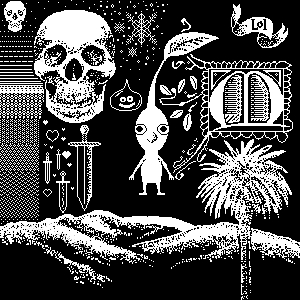
And it's been fun to play with animation as well. The problem is always they are small so I don't know how responsive layouts will butcher them.
Apologies if these are HUGE for some reason, if that's how it publishes I'll go back and fix it.
But I was super curious about imitating CRT look, like with scanlines. There were some guides out there but a lot felt kind of more complicated than I know to do. However! I found some bits of guides and sort of knocked together my own method. Which I like the results of, and have found to be repeatable.
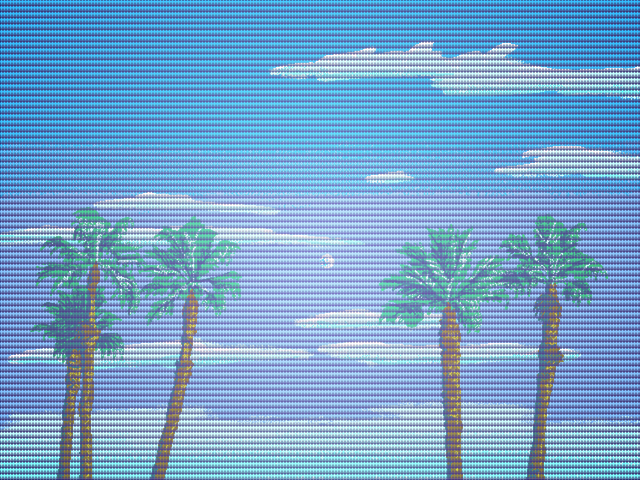
What I'm really digging is how it can change the colours - maybe not in a real screen-accurate way, but nonetheless. It's neat stuff!
The original image:
![A pixel illustration with a limited palette (that is shown with swatches on the right) of yellow sunflowers against a vibrant plain blue background. The darker shadows of the petals seem too dark and green.]](/uploads/posts/post_642144d0625809.40652941.jpeg)
And after:
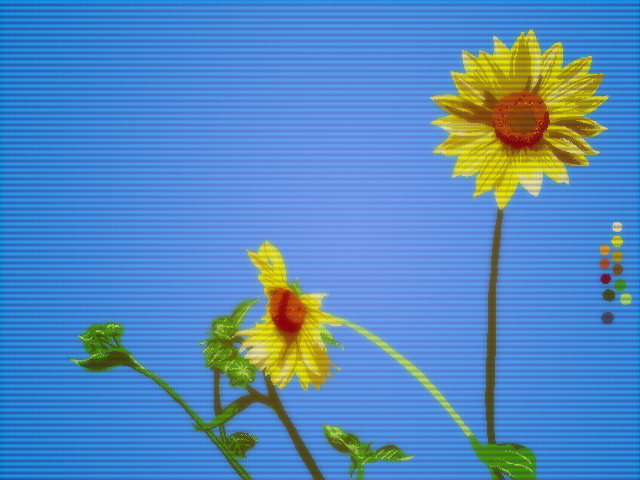
Anyway, I wrote up a little guide on faking the CRT look using Photoshop over at my blog (partly so I can also remember how to do it). It's full of images so I've dropped it on my blog. I hope it is as fun/helpful for others as it was to figure out for me.
Crossposted with Patreon